Connect your AI
Your AI drafts the cookie banner. You review and publish.
This work is licensed under CC BY-SA 4.0
Not sure what any of this means?
Send this message to your AI. It walks you through the rest.
Get your key
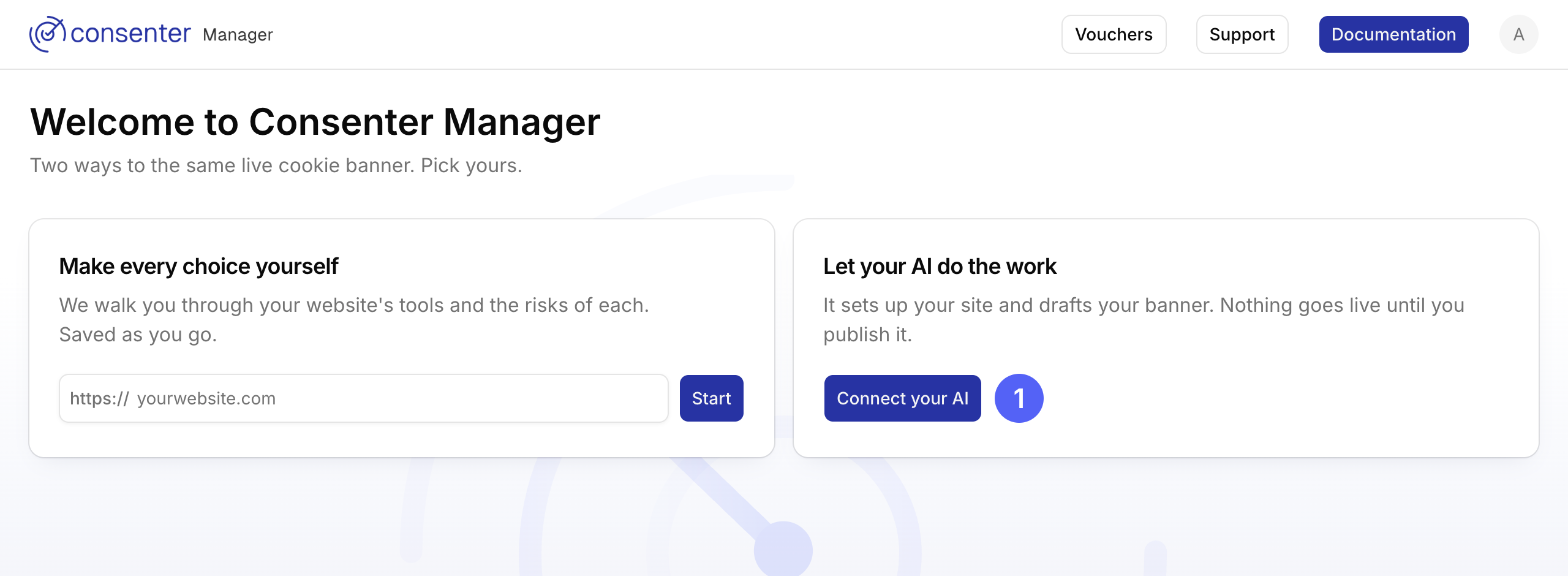
Press Connect your AI.
Then choose Create an access key instead.
Add it to your AI
Your AI's own guide has the current steps. You'll need this address: https://manager.consenter.eu/api/mcp
Your key goes in your AI's connection settings as an Authorization header, never in a chat message.
Skills
Ready-made instructions your AI can follow. Install one, or send your AI its link.
If something goes wrong
Shape Consenter Together
Consenter is built on an open and participatory process that grows through community collaboration. Whether you share feedback, improve the documentation, or contribute to the Risk Configuration Guides or Technical Integration Guides, your expertise helps make Consenter more privacy-friendly, interoperable, and useful for everyone—including your own users and services: Get finally your benefits and control the risks when sharing personal data.
Need Help?
Last updated on